Our kids can swipe, tap and voice-text faster than most of us ever could. But sit them in front of a real keyboard, and many of them go quiet. They look down, find the next letter, press it, and look back up. One key at a time.
That used to be a minor annoyance. Now it shows up on test scores.
This fall, teachers at Spring Grove Area Middle School in York County, Pennsylvania, went looking for the reason their English scores kept slipping. What they found surprised them. Their students could write on paper just fine. On the state test, which is now taken on a computer, with no talk-to-text, they got stuck on the keyboard. As the principal told the York Daily Record, “Our students don’t really know how to type.”
It’s not just one school. Pennsylvania moved every PSSA test online in spring 2026, and for some schools it was their first time testing on a computer (Philadelphia Inquirer). A decade ago, more than half of states were already giving computer-based writing tests to kids as young as third grade. If your child takes a state test, there’s a good chance they’ll type their answers.
So we built something to help: Keyboard Quest, a free typing game for kids from kindergarten through 8th grade. Here’s why typing matters more than it used to, what age to start, and how a few minutes a day at home can make a real difference.
Why typing suddenly matters so much
It seems strange that the most screen-savvy generation would struggle with a keyboard. But most of their typing happens on phones and tablets, with thumbs, autocorrect and a microphone button. None of that carries over to a laptop. And schools mostly stopped teaching typing as its own class: about 44% of 2000 high school graduates had taken a keyboarding course, compared with just 2.5% in 2019, according to Department of Education data reported by The Wall Street Journal.
Here’s why that matters on test day. When kids type slowly, they write less, and shorter answers tend to score lower. In a national pilot of computer-based writing, fourth graders typed about 12 words per minute and wrote 110 words on average, compared with 159 on paper (NCES). The strongest writers produced about three times as much as the students who were struggling, and researchers warned that testing on a computer may have widened that gap (The Hechinger Report).
There’s a simpler way to think about it. Every bit of attention a child spends hunting for the next key is attention they’re not spending on their ideas. Writing researchers describe kids losing a thought before it ever reaches the screen. That hits hardest on the written-response questions, like Pennsylvania’s text-dependent analysis, where students read a passage and then type an essay about it. That’s exactly where Spring Grove saw its scores fall.
So when should kids learn to type?
| Grade | What kids learn | Goal |
|---|---|---|
| K–1 | Finding every letter; space, Enter, Backspace and Shift; the mouse; how to sit | Find every key (no speed goal) |
| 2 | Touch typing: the home row, then the top and bottom rows; copy, paste and undo | Every letter without looking |
| 3 | Fixing mistakes; typing a short answer to a question | 15 WPM at 90% accuracy |
| 4 | Capitals, punctuation, numbers and the number pad | 20 WPM at 90% |
| 5 | Typing their own ideas, not just copying | 25 WPM at 90% |
| 6 | Symbols, shortcuts and a timed paragraph | 30 WPM at 95% |
| 7 | Editing without the mouse; short essays | 35 WPM at 95% |
| 8+ | Emails, essays with quotes, forms and code symbols | 40 WPM at 95% |
Earlier than most of us think. Little ones in kindergarten and first grade can learn where the letters live, how the space bar and Backspace work, and how to sit at a keyboard. Real touch typing, with each finger on its own keys, usually starts around second grade, once small hands can rest comfortably on the home row.
For speed, a handy rule of thumb many schools use is 5 words per minute times the grade level, starting in third grade. A third grader aims for about 15, a fifth grader about 25 (Wisconsin Department of Public Instruction). The same guidance expects fourth graders to type a full page in one sitting. But speed is never the first goal. Accuracy is. In Keyboard Quest, a speed badge only counts when a child hits 90% accuracy or better.
Here’s the path we follow, grade by grade:
WPM means words per minute. One “word” is five characters, so a child who types 75 characters in a minute is at 15 WPM.
Meet Keyboard Quest
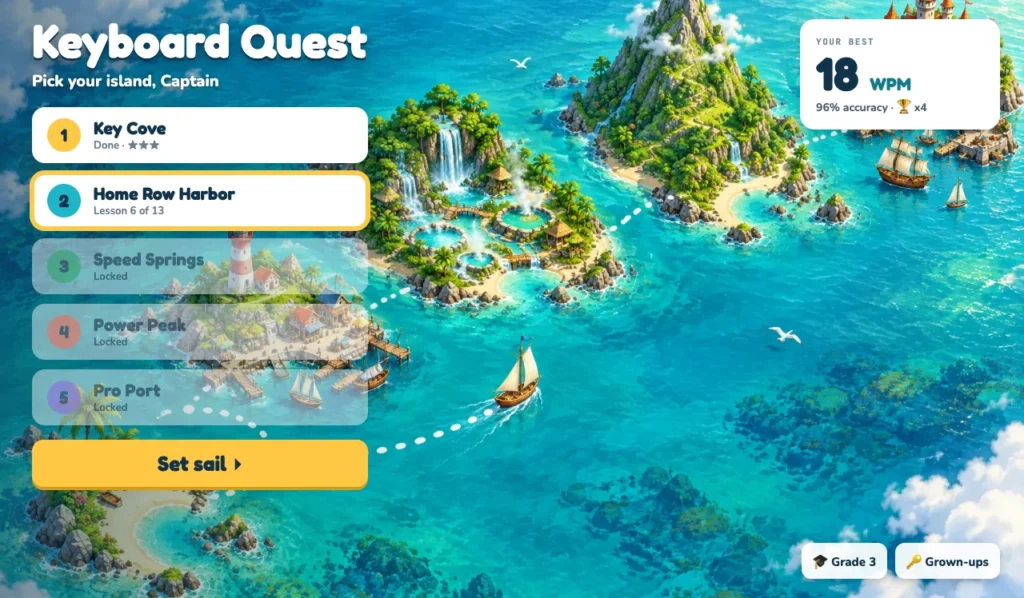
If you grew up with the classic typing games, you’ll recognize the idea: a friendly teacher, short lessons, and a game as the reward. Keyboard Quest turns that into a voyage across five islands, one for each grade band. Kids learn a few new keys, practice them with Professor Keys (our owl teacher), then play a game that uses only what they’ve learned so far. The words and sentences change every time, so there’s no memorizing a lesson to get through it.
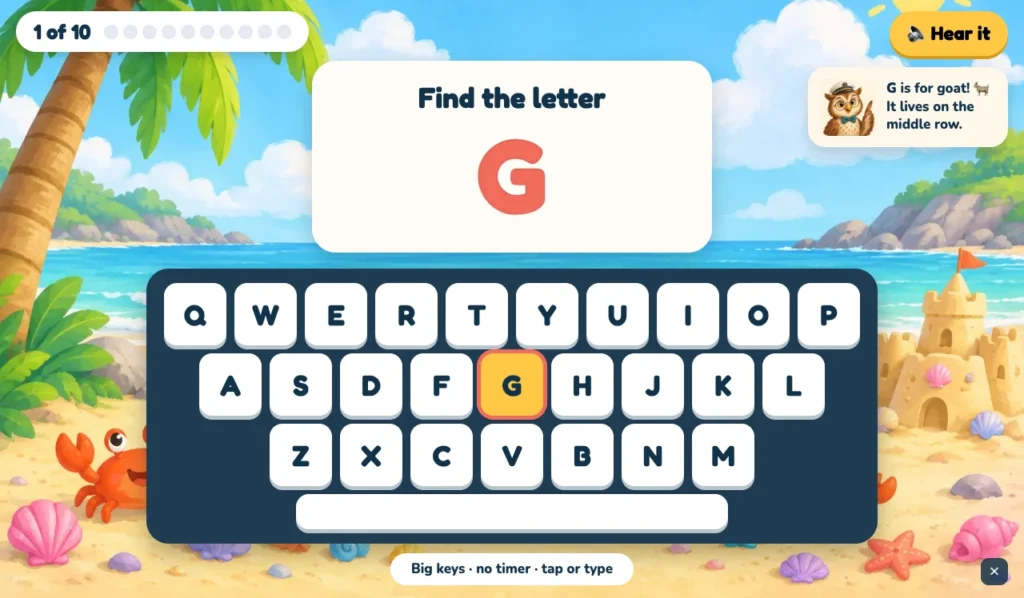
The youngest captains start on Key Cove (K–1). There are no finger rules yet, just finding letters on big friendly keys. Professor Keys tells them which row each letter lives on, a “Hear it” button reads it aloud, and kids can tap the screen or press the real key. Along the way they learn the space bar, Enter, Backspace, making a capital with Shift, using a mouse, and sitting like a typist.
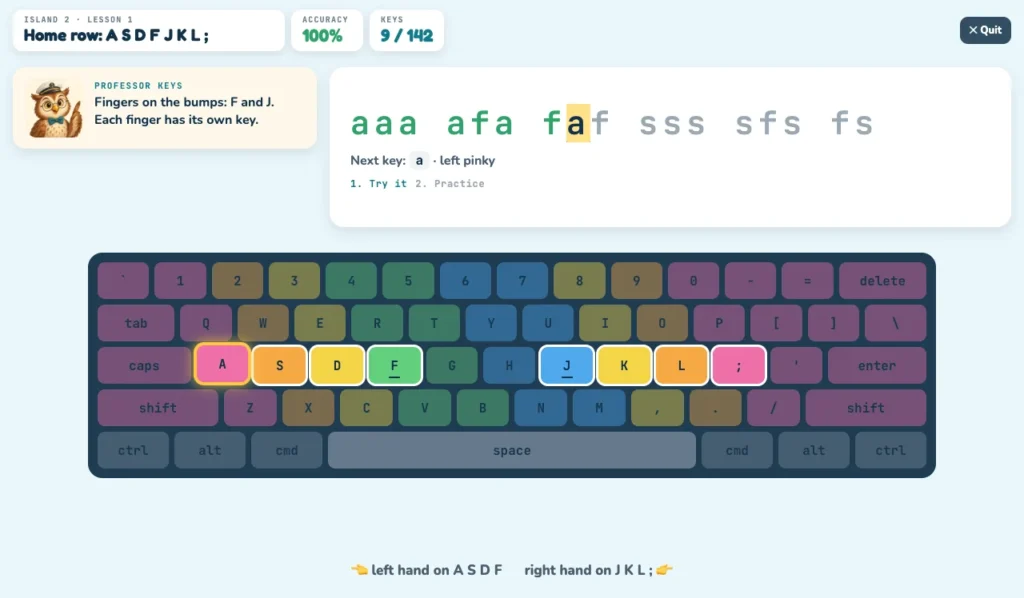
On Home Row Harbor (grades 2–3), real touch typing begins. Fingers go on the little bumps on F and J, and every key on screen is colored by the finger that should press it. The next key glows, and a hint names the finger to use. Later lessons slowly fade the on-screen keyboard away, so kids learn to trust their fingers instead of looking down.
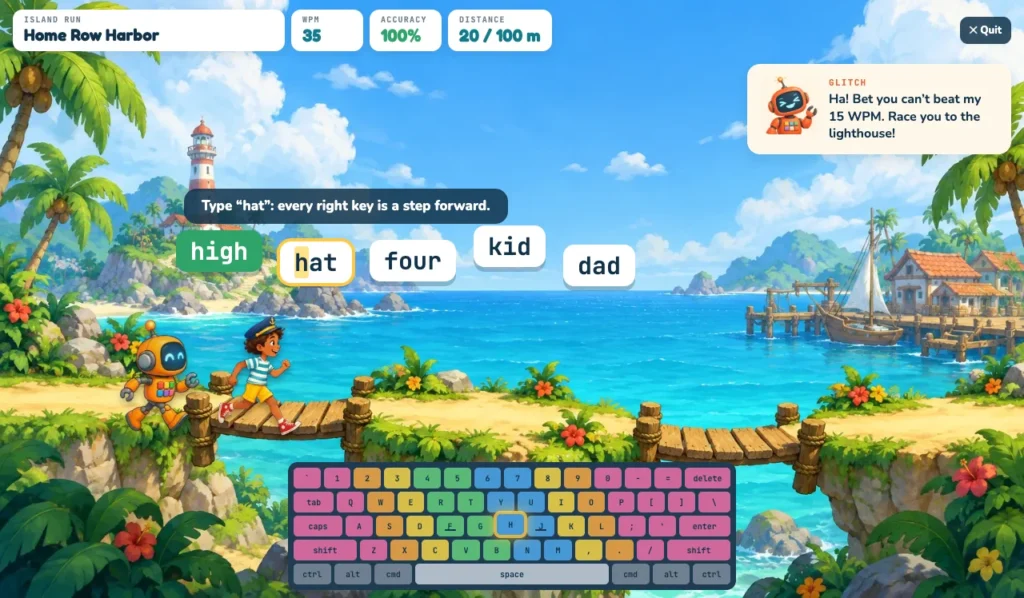
Then comes the fun part. In Island Run, every correct key moves our young captain one step closer to the lighthouse, racing Glitch the robot. A wrong key makes them stumble for a moment, which teaches the most important lesson in typing without a single lecture: accuracy beats rushing.
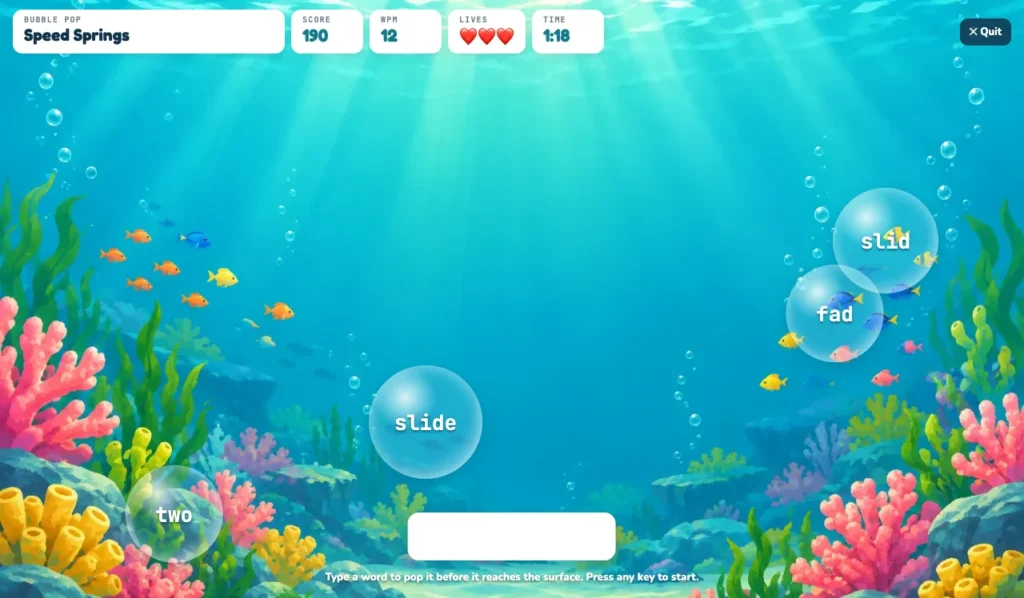
By Speed Springs (grades 4–5), kids add capitals, punctuation, the number row and the number pad, and speed starts to matter. In Bubble Pop, they type each word before its bubble floats away. In the Swim Meet and the Regatta, faster typing powers their swimmer or sailboat against the computer, but a race under 90% accuracy doesn’t earn a medal.
Older kids head to Power Peak (grades 6–7) for symbols, formatting shortcuts, and getting around a document without the mouse. They race a ghost of their own best time. The last stop, Pro Port (8th grade and up), is all about typing for real life: emails, essays with quotes, online forms, and the brackets and symbols used in code. It ends with a final exam at 40 words per minute and 95% accuracy, and a certificate when they pass.
From typing words to typing ideas
Here’s something most typing programs miss. A child can copy a sentence quickly and still freeze on a test essay, because the essay asks them to think and type at the same time. That’s the skill Spring Grove’s students were missing, so we built it into every island.
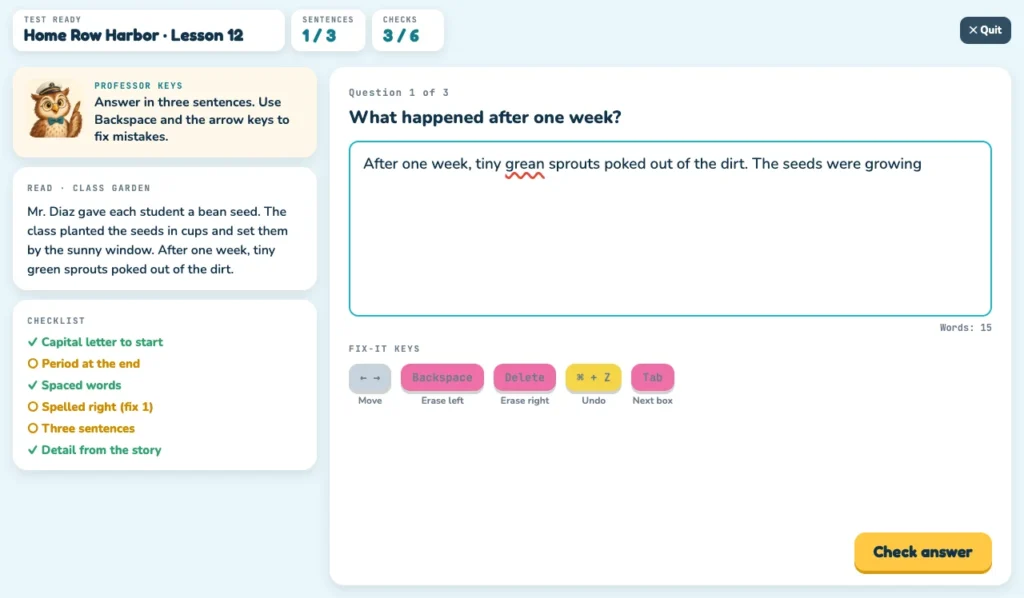
It starts small in second and third grade with Test Ready. Kids read a short story and type a three-sentence answer to a question about it. A checklist ticks off as they go: a capital to start, a period at the end, spaces between words, correct spelling, and a detail from the story. When something’s wrong, they fix it with Backspace, Delete, the arrow keys and Undo, the same tools they’ll use on test day.
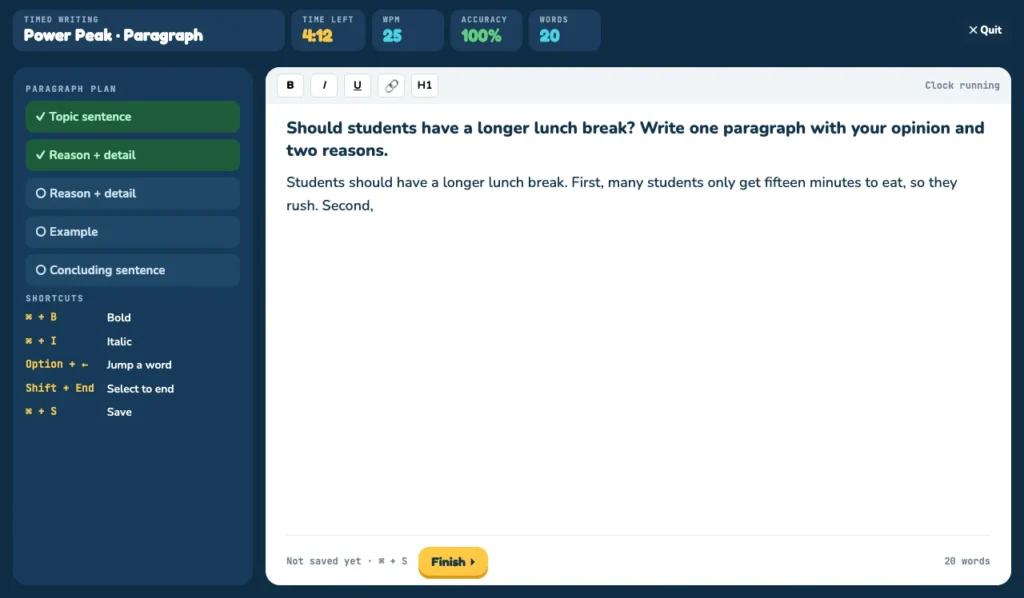
In fourth and fifth grade, Think & Type takes away the text to copy. Kids jot a quick plan, then type their answer in their own words, and a speed bar shows how fast they compose compared with how fast they copy. (About half their copy speed is a healthy goal. Thinking takes time.) By sixth and seventh grade, it’s a full opinion paragraph against a five-minute clock, with a plan that checks itself off: a topic sentence, two reasons, an example and a conclusion. Eighth graders practice quoting a source in an essay and naming it, which is the same move a text-dependent analysis asks for.
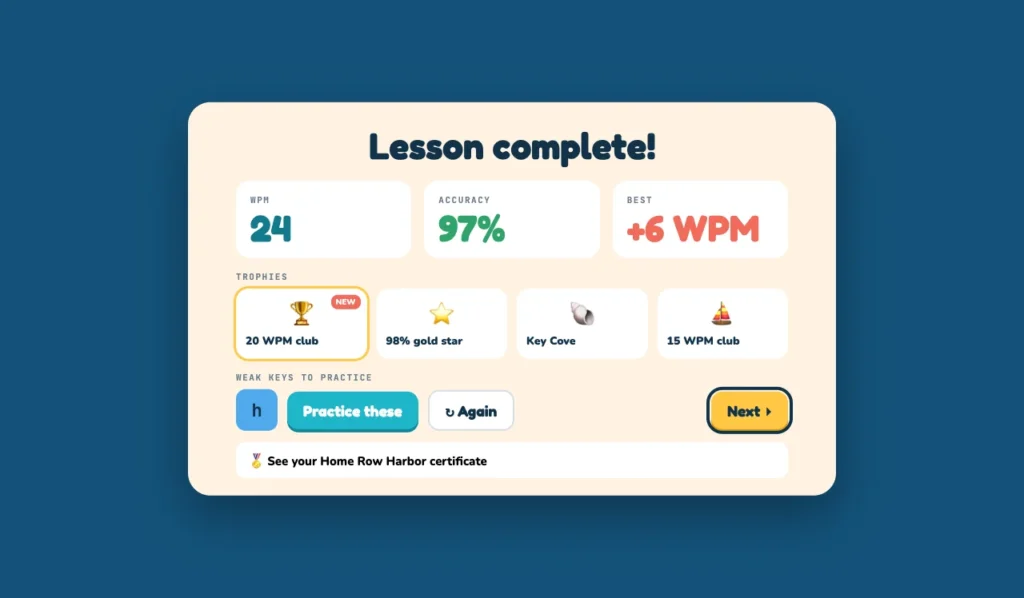
After every activity, kids see their words per minute, accuracy, any trophies they earned, and the exact keys that slowed them down. One tap turns those keys into a quick practice drill, so practice time goes where it’s needed. (It’s the same idea behind active recall and spaced practice, two of the simple memory techniques that work for any skill.)
Why we built it (and how to start tonight)
Studying with Dad started at a kitchen table, with a dad helping his own kids through homework. The idea has stayed simple: short, real practice on the skills school actually tests, in games kids want to play, free and with no ads. Typing fits that perfectly. It’s a skill schools now test but rarely teach, and families shouldn’t have to pay to fill that gap.
Keyboard Quest also works hand in hand with the rest of our games. A child who types comfortably gets more out of our reading and writing games too, like The Press Box for reading, and The Breakdown, which walks 6th graders through a text-dependent analysis one step at a time. Each game saves progress to your child’s account and shows stars and words per minute for every activity. When an island is finished, kids earn a certificate, and the stars and speeds for each activity make a simple record that homeschool families can note in a portfolio.
You don’t need a lot of time to make a difference. School guidance suggests 15 to 30 minutes a day over five to six weeks of focused keyboarding practice. At home, 10 to 15 minutes most days works well. Here’s an easy routine:
- Spend a minute getting set up: feet flat, sitting tall, wrists floating just above the keys, fingers on F and J.
- Do one lesson on your child’s island, aiming for 90% accuracy before worrying about speed.
- Play one game as the reward.
- Glance at the results screen together and note the keys that slowed them down.
A few small habits help a lot, too. Once your child knows the home row, try draping a dish towel over their hands so their eyes stay on the screen. Turn off talk-to-text for homework a few days a week. Have older kids type one homework answer a day instead of handwriting it. And praise accuracy more than speed, because speed always follows accuracy, never the other way around.
Questions parents ask
Why can’t kids type if they use screens all day? Most of their typing is on phones and tablets, with thumbs, autocorrect and talk-to-text. Those habits don’t carry over to a physical keyboard, and few schools still teach typing as its own class.
At what age should a child learn to type? Start finding keys and using a mouse in kindergarten. Begin touch typing around second grade, when hands can rest on the home row. Aim for about 15 words per minute by the end of third grade.
How fast should my child type? A common goal is 5 words per minute times the grade level, starting in third grade: 15 in 3rd grade, 25 in 5th, 40 by 8th. Accuracy matters more: aim for 90% or better before pushing speed.
Does typing really affect test scores? It can. In a national pilot, fourth graders wrote less on the computer than on paper, and longer responses scored higher. Researchers found the gap was largest for students who were already struggling.
Is hunt-and-peck typing OK? It works for short messages, but it splits a child’s attention between the keys and their ideas. Touch typing frees that attention for the writing itself.
Is Keyboard Quest free? Yes. Keyboard Quest and the other games on Studying with Dad are free, with no ads. It works on a laptop or desktop with a keyboard.
Sources
- Meredith Willse, “Many Spring Grove Area students can’t type, impeding literacy skills”, York Daily Record, Nov. 2, 2026. Video: Decline in Spring Grove PSSA scores prompts dive into data.
- Maddie Hanna and Kristen A. Graham, “PSSA testing was disrupted today due to a ‘statewide outage'”, The Philadelphia Inquirer, April 21, 2026.
- Sheida White et al., Performance of Fourth-Grade Students in the 2012 NAEP Computer-Based Writing Pilot Assessment, National Center for Education Statistics, 2015.
- Jill Barshay, “Online writing tests widen achievement gap”, The Hechinger Report, 2016.
- “Gen Z-ers Are Computer Whizzes. Just Don’t Ask Them to Type.”, The Wall Street Journal, Sept. 2024 (keyboarding course data from the U.S. Department of Education).
- Elementary Keyboarding, Wisconsin Department of Public Instruction.