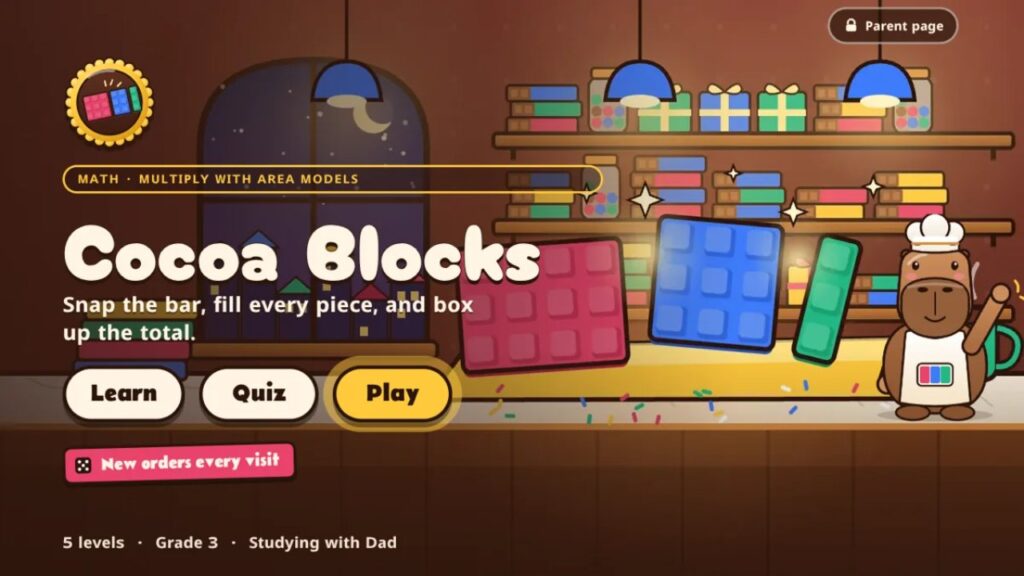
Last week my third grader came home with a math worksheet called Multiply Using Area Models, and he was stuck. By the end of the evening he had it. A few days later, it had turned into a new game on this site. Here’s how that happened.
The homework
An area model breaks a big multiplication problem into smaller ones you already know. To find 2 × 256, you split 256 into 200 + 50 + 6, multiply each part by 2, then add the parts back together: 400 + 100 + 12 = 512.
Here’s his actual worksheet (name blurred). Look at the first problem.
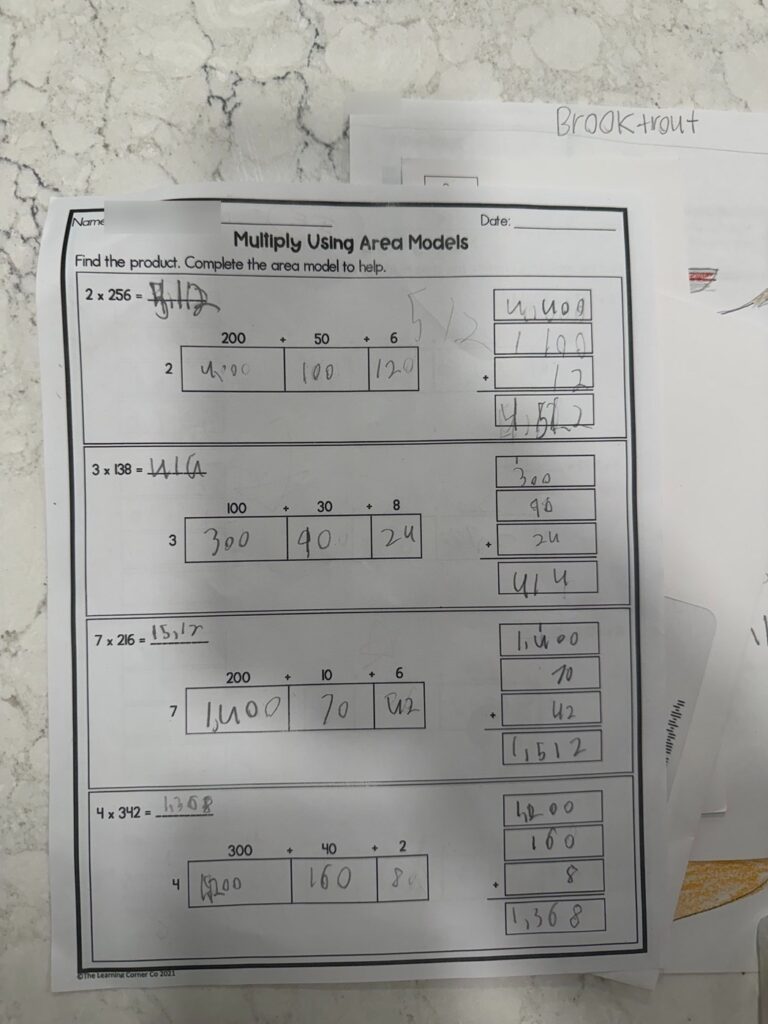
He knew his times tables. 2 × 2 is 4 and 2 × 6 is 12, no problem. What tripped him up was the zeros. Two rows of 200 became 4,000 instead of 400, and 2 × 6 became 120 instead of 12. It’s the most common mistake with area models: the facts are right, but the place value slips.
What made it click
So we stopped thinking about zeros and started thinking about pieces. A hundred is a big flat square. A ten is a skinny rod. A one is a little cube. Two rows of two hundred is four big flats, which is four hundreds. Not four thousand. Once he could see what each box was made of, the numbers made sense.
He fixed the first problem (that big 512 in the middle of the page) and then did the next three on his own: 3 × 138 = 414, 7 × 216 = 1,512 and 4 × 342 = 1,368. He caught on right away.
That got me thinking. If seeing the pieces made it click for him, it could work for other kids too. So we built it.
Meet Cocoa Blocks
Cocoa Blocks is a grade 3 area model game set in Toffee the capybara’s chocolate shop. Every order is a multiplication problem, and every chocolate bar is an area model you can see. Here’s that same first problem from his worksheet, 2 × 256, in the game.
1. Snap the bar
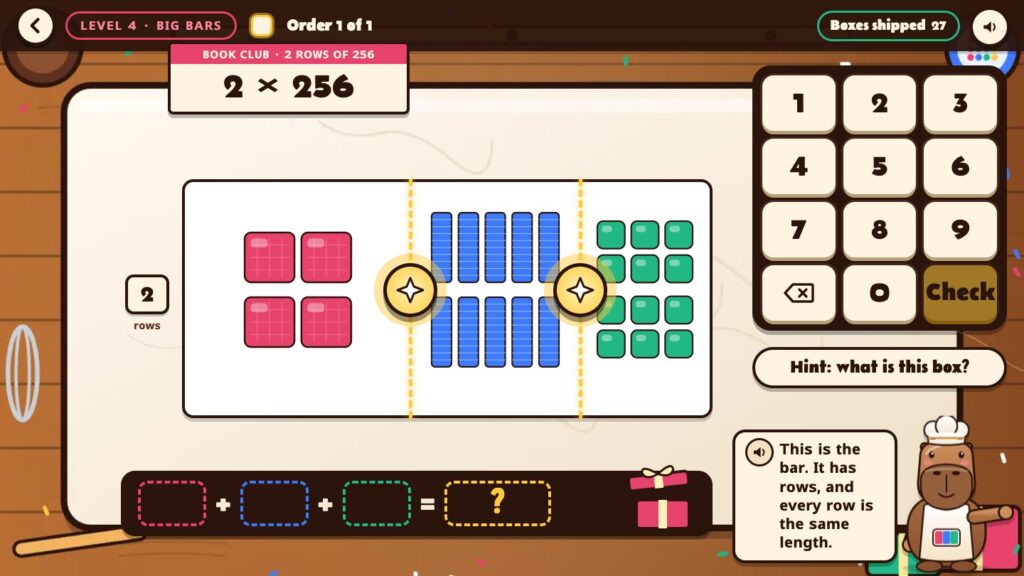
Kids snap the bar into hundreds, tens and ones. The pieces are drawn to scale: hundreds are big pink flats, tens are blue rods and ones are green cubes. So 256 becomes 200 + 50 + 6 before anyone writes a number.
2. Fill every box, and get help on the exact mistake
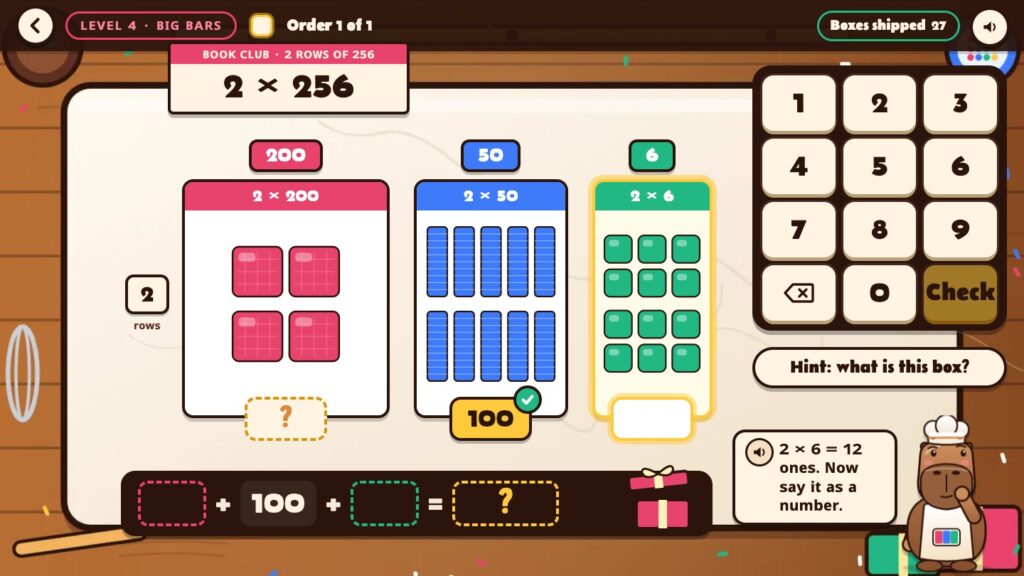
Next, kids type what each piece is worth. This is exactly where the worksheet went wrong, so the help is all about the pieces. Type 120 for 2 × 6 and Toffee doesn’t just say “wrong.” She says 2 × 6 = 12 ones. Now say it as a number. Miss a hundreds box and she reminds you that hundreds are big flats, each worth one hundred. The Learn lessons take on the zeros directly (a hundred piece makes hundreds, not thousands), and the last level has kids spot extra and missing zeros in someone else’s work.
A second miss shows the answer plainly, and that kind of problem comes back later. It doesn’t count as right, and there’s no celebration for it.
3. Add the boxes and ship the order
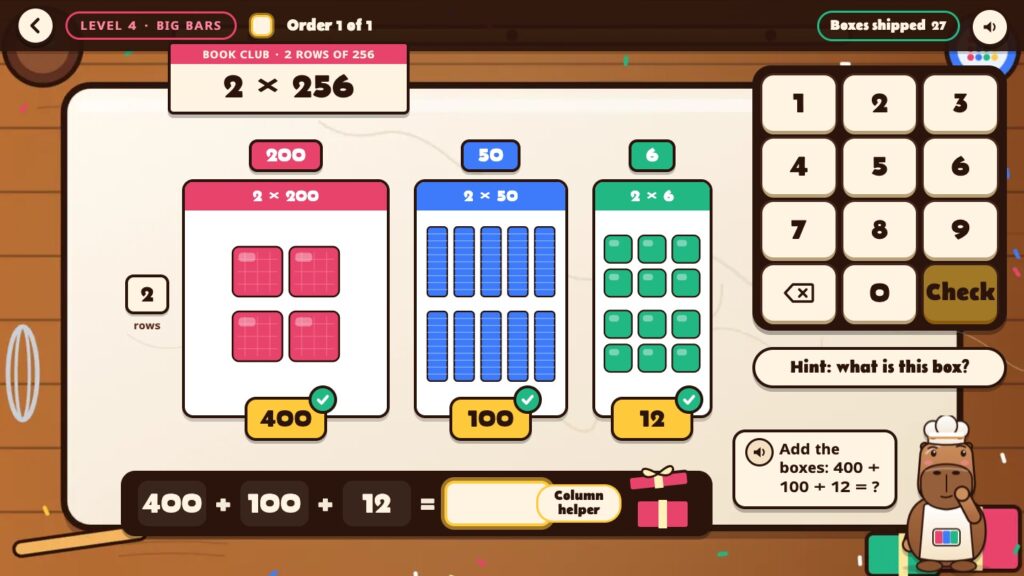
Finally, kids add the boxes. On the bigger levels a column helper lines up the numbers. Get the total right and the box gets wrapped and shipped to the customer.
Learn, play and quiz
Cocoa Blocks has three ways in, so it works whether your child is seeing area models for the first time or getting ready for a test.
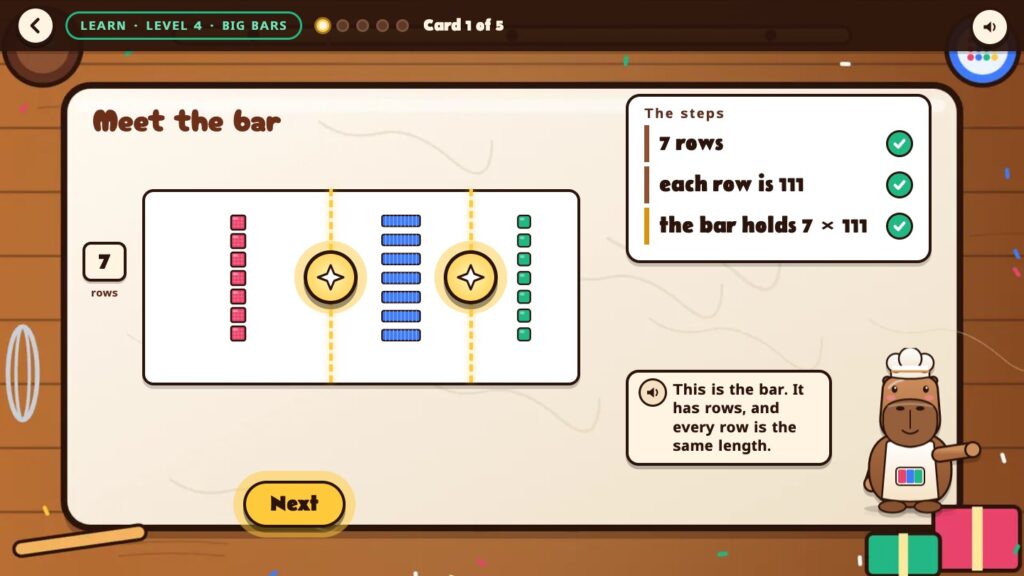
- Learn: short picture lessons for each level, with Toffee talking through every step, then a turn of your own.
- Play: five levels along the road through Cocoa Hollow:
- Tens times (3 × 30)
- Snap a teen (8 × 16)
- Two-digit bars (5 × 27)
- Big bars (3 × 313), a grade 4 stretch
- Mixed bars, a grade 4 stretch where kids also find the mistake in someone else’s work
New problems come every visit, and the game leans toward the kinds your child missed last time.
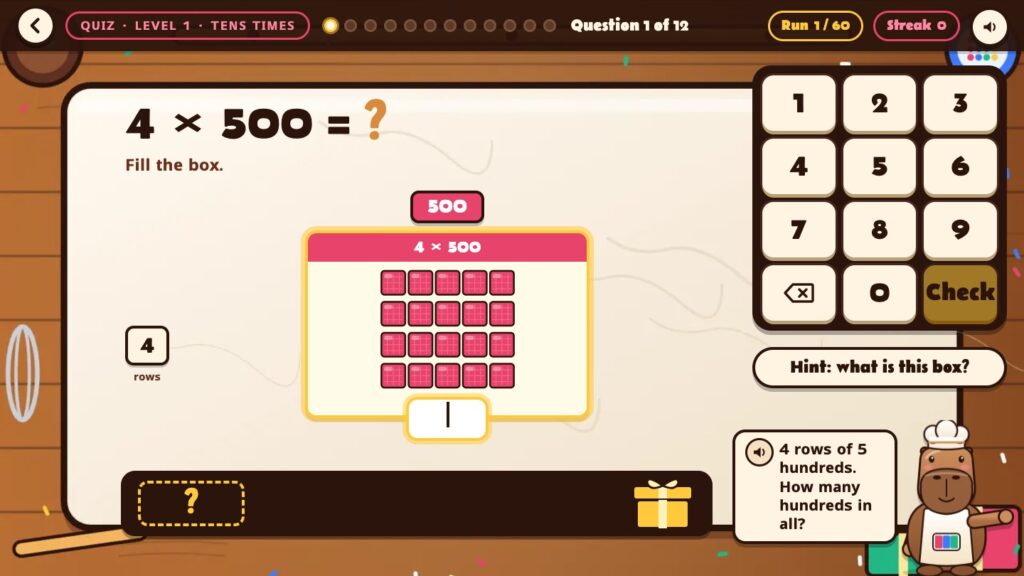
- Quiz: a 60-question quiz built fresh each time, with a streak counter. Only first-try answers count.
A page for grown-ups
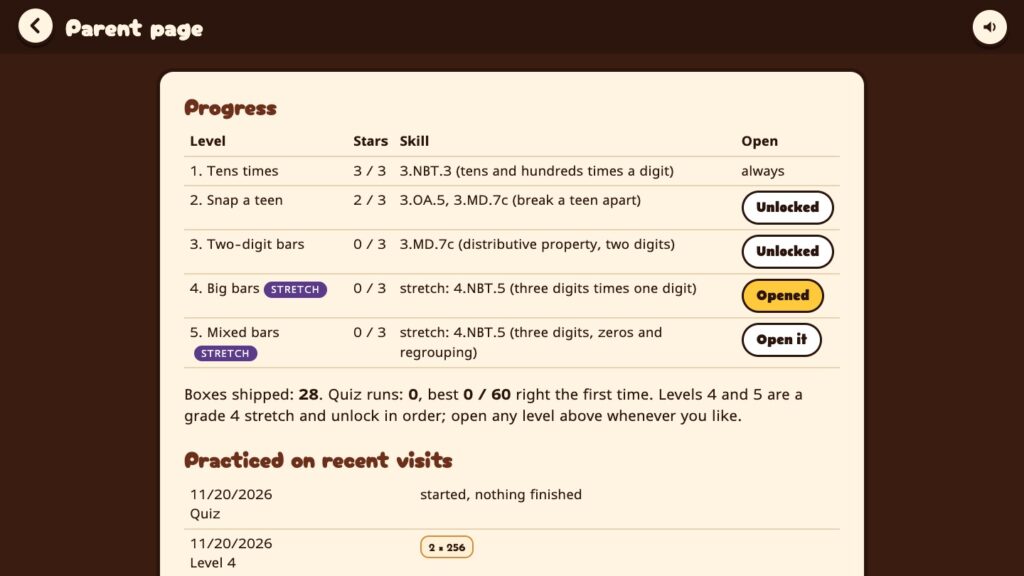
The parent page shows stars for every level, the skill each level practices and the problems your child worked on recently. You can also open the grade 4 stretch levels early if your kid is ready for more.
Real homework, a different way to learn
This is my favorite part of building Studying with Dad. A real worksheet came home, a kid got stuck, and a few days later there was a game that teaches it the way it finally made sense to him. Not more worksheets, just a different way of seeing the same idea.
If your child is stuck on something from school, I’d love to hear about it. Send a note from the contact page or use the feedback button in any game. Some of the best games here started exactly this way.
What’s next
He’s got area models down. Now, looking at that worksheet again, I think our next project might be handwriting. I’m still not totally sure whether some of those are 4s or 9s, and I’m his dad.
Play Cocoa Blocks. It’s free to play right now. If you haven’t yet, create your free family account and let your kids give it a try.
— Dad